FINES MANAGEMENT SOFTWARE

A Smarter Way to Manage Vehicle-Related Fines

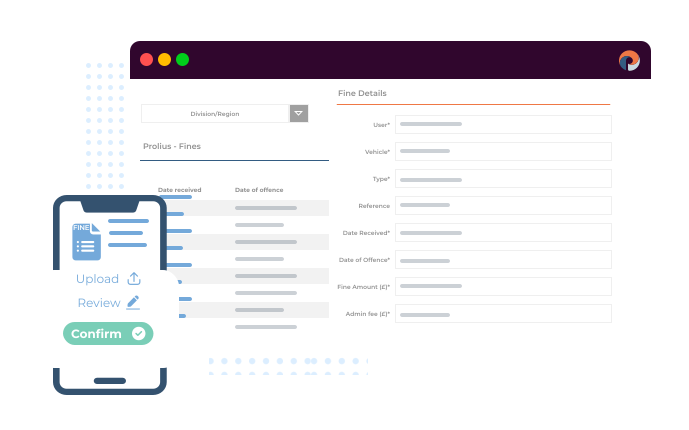
Centralise the handling of speeding, parking and congestion fines with full visibility from issue to resolution. The Prolius Fines Management module gives fleet and finance teams a structured process to record, allocate and track every fine in one place - improving accountability and reducing repeat offences.
Fleet accident management
Streamline Every Stage of the Fines Management Process

The Fines Management module provides a dedicated area for logging, tracking and analysing all vehicle-related fines. Each step - from notification to payment or recharge - is recorded, with clear audit trails and reporting tools that help organisations act on trends and prevent recurrence.

Record, Categorise & Centralise Fines
Driver Attribution & Cost Control
Dispute & Resolution Tracking
Data-Driven Insights
Reporting & Governance
Document Management & Evidence Storage

Capture all vehicle-related fines in one organised system, linked to vehicles and drivers for full fleet visibility.

Learn more

Assign fines to the right driver and decide if costs are company-paid or recharged, with every action traceable.

Learn more

Track each fine from receipt to closure with a clear workflow that records appeals, notes and outcomes.

Learn more

Identify repeat offences, high-risk drivers and problem areas through built-in analytics and trend reports.

Learn more

View live summaries of fines and disputes, with exportable dashboards for finance and compliance teams.

Learn more

Store all related files and proof securely against each fine for quick access during reviews or audits.

Learn more
A Complete Framework for Managing Fleet Fines

The Fines Management module combines structure, visibility and control in one place. Each feature is designed to remove manual effort, reduce administrative risk and help organisations act on insight rather than react to issues. Together, they create a consistent, auditable process for managing every fine from start to finish.
Real Time Reporting
Record, Categorise & Centralise Fines

Manage every vehicle-related fine - including speeding, parking, congestion and toll violations - in one organised system designed for clarity and control. Each fine is logged with essential details such as type, amount, issuing authority and date received, and automatically linked to the correct vehicle and driver.

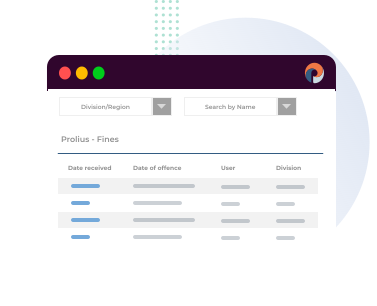
Fines can be categorised by type or severity, helping teams prioritise actions and identify recurring issues. The unified dashboard gives fleet and finance teams a live, centralised view of all open, disputed and closed fines, ensuring nothing is missed and every case is traceable from start to finish.
Digital Data
Driver Attribution & Cost Control

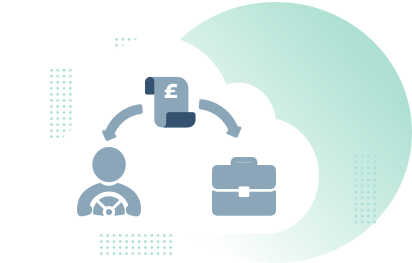
Assign fines to the correct driver or department to establish accountability. Managers can determine whether costs are covered by the company or recharged to the employee, with options for salary deduction or reimbursement. Every allocation and decision is logged automatically, creating a clear record of responsibility and supporting accurate financial recovery.
Incident Notification
Dispute & Resolution Tracking

Each fine follows a defined process within Prolius, from receipt to resolution. Record appeals, upload supporting documents and track communications in sequence, ensuring no deadlines are missed. The workflow gives teams full visibility of status - open, in dispute, paid or closed - providing the clarity needed for consistent, compliant case management.
Insurance Cost Cutting
Data-Driven Insights

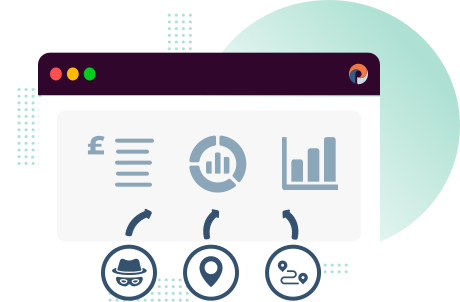
Turn fines data into meaningful action. The analytics dashboard surfaces trends such as repeat offenders, frequent hotspots and high-risk routes. These insights help identify where driver training, route planning or policy updates could reduce future incidents, improving both compliance and cost control across the fleet.
Easy Incident Management
Reporting & Governance

Generate detailed reports showing live fines, dispute outcomes and payment history. Managers can filter results by driver, vehicle type or location, gaining a clear view of performance across departments. Exportable reports make it simple to share data with finance or compliance teams, ensuring transparency and reinforcing organisational governance.
Insurance Partner Integration
Document Management & Evidence Storage

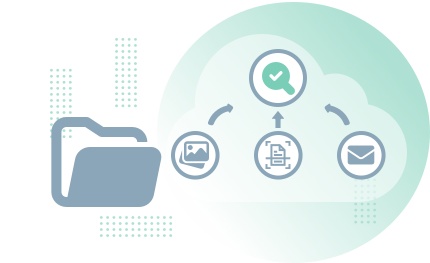
Keep every supporting file linked directly to its fine record. Upload photos, scanned notices, receipts and correspondence for easy access during disputes or audits. All documentation is securely stored and timestamped, creating a reliable record that simplifies reviews and speeds up resolutions.

From Notice to Resolution

Every fine follows a clear, traceable path from notice to resolution. Each stage is logged and transparent, ensuring teams stay aligned, actions are accountable and records remain ready for review or audit.

1
Receive & Log
2
Attribute to Vehicle & Driver
3
Initial Review & Validation
4
Decision: Dispute or Pay
5
Recharge Determination
6
Payment & Confirmation
7
Outcome Handling
8
Recharge Recovery
9
Closure & Audit Trail
10
Reporting & Preventative Action

Capture the fine as soon as the notice arrives. Enter type, issuing authority, amount, date received, deadline and location. Upload the notice and any initial evidence. The record is created with a unique reference and an “Open” status.

Link the fine to the correct vehicle and driver profile using journey history and allocation records. Confirm who was in charge at the time. The record moves to “Attributed”.

Check accuracy of details, duplication and eligibility for appeal. Add internal notes and any admin fee policy. Set due dates and assign an owner in fleet or finance. Automatic reminders are scheduled.

Choose a path based on policy and evidence.

  • Dispute: switch to “In Dispute”, add grounds, attach proof and log all correspondence and responses.
  • Pay: switch to “Approved for Payment”, confirm method and add any recharge decision.

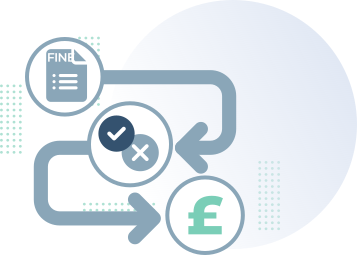
Apply the recharge policy. Mark as Company Paid or Employee Deduction and record the amount to be recharged, including any admin fee. If payroll integration is used, create the deduction entry and set the recharge status to “Pending Recovery”.

Process the payment or submit the appeal. Record payment reference, date and method, or appeal submission details. Upload receipts and confirmations. Status updates to “Paid” or remains “In Dispute” until an outcome is received.

  • Dispute Upheld: Record reduction or cancellation and close the case. Adjust recharge if required.
  • Dispute Rejected: Proceed to payment or escalate per policy. Update deadlines to avoid penalties.

For employee deductions, track payroll recovery to completion. The recharge status moves from “Pending” to “Recovered” once confirmed. Any exceptions are flagged for manager approval.

When all actions are finished, set the record to “Closed”. The full history - notes, documents, timestamps, decisions and approvals - remains available for audits.

Feed the case into dashboards and periodic reports. Review hotspots, repeat offenders and high-cost categories. Trigger driver coaching, route or policy changes and follow-up checks to reduce recurrence.

Clear Oversight. Reduced Admin. Fewer Repeat Offences.
defect-icon
Maintain Full Control

See every fine, status and decision in one structured view, ensuring complete oversight and timely resolution.

defect-resolution-image
Save Administrative Time

Automated processes and centralised data remove manual updates, reducing effort and improving efficiency.

defect-history-image
Encourage Accountability

Driver attribution and recharge options make responsibility clear, promoting fairness and better driving behaviour.

defect-icon
Strengthen Governance

Audit trails and reporting create a transparent process, providing verifiable proof of compliance at every stage.

defect-resolution-image
Target Training Effectively

Trend analysis highlights repeat offences and high-risk areas, enabling data-led driver development and prevention.

defect-history-image
Improve Financial Oversight

Monitor total fine expenditure across vehicles and departments, supporting accurate budgeting and cost recovery.

Frequently Asked Questions

The module supports all common fine types including speeding, parking (PCNs), congestion and toll violations. You can record and categorise each fine for complete visibility.

Yes. Fines can be allocated to specific drivers, with the option to mark them as company-paid or to recharge via salary deduction. Each transaction is logged in the audit trail.

Prolius allows users to record disputes, add supporting notes and track outcomes, ensuring every fine is handled correctly and transparently.

Yes. It’s a web-based feature that can be switched on for any Prolius Fleet account at no additional cost.

All reporting data can be viewed in dashboards or exported for internal use, providing finance and compliance teams with detailed records for audit purposes.
Ready to Manage Fleet Fines More Efficiently?
Discover how Prolius Fines Management Software helps organisations reduce administrative workload and maintain complete oversight of every fine.